
Changelog
December 18, 2025
Default Exemptions
We’re excited to introduce default exemptions, a new way to speed up the redaction process.
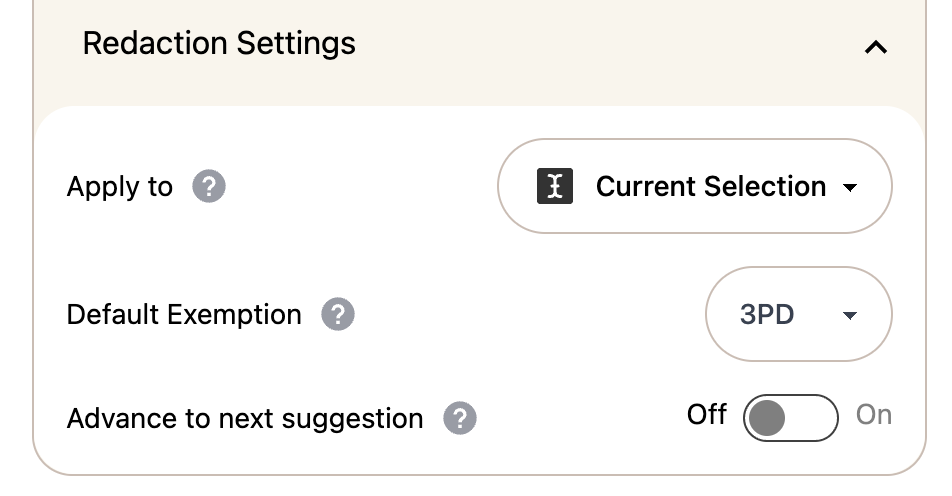
In practice, we find that the vast majority of redactions made in the product are for the same reason: removing third-party personal data. Previously, you had to select the relevant exemption reason over and over again for each redaction.
With default exemptions, you can now set a default exemption for a case and have it automatically applied to all subsequent redactions. When you’re redacting third-party data, simply set that exemption as your default and every redaction you make will use it unless you explicitly change it.
Default exemptions apply across all redaction types, including:
- Suggested redactions
- Area redactions
- Full-page redactions
- Manual text redactions
This feature becomes especially powerful when combined with our keyboard shortcuts, allowing you to move through documents and apply consistent decisions at speed. We believe this will make redaction workflows significantly faster and more fluid—and we’d love to hear your feedback.
Safer Case-Wide Undo for Keeps
Undoing redactions at a document-wide or case-wide scope can be a high-impact action. To make this safer and more predictable, we’ve improved the confirmation flow for case-wide keeps.
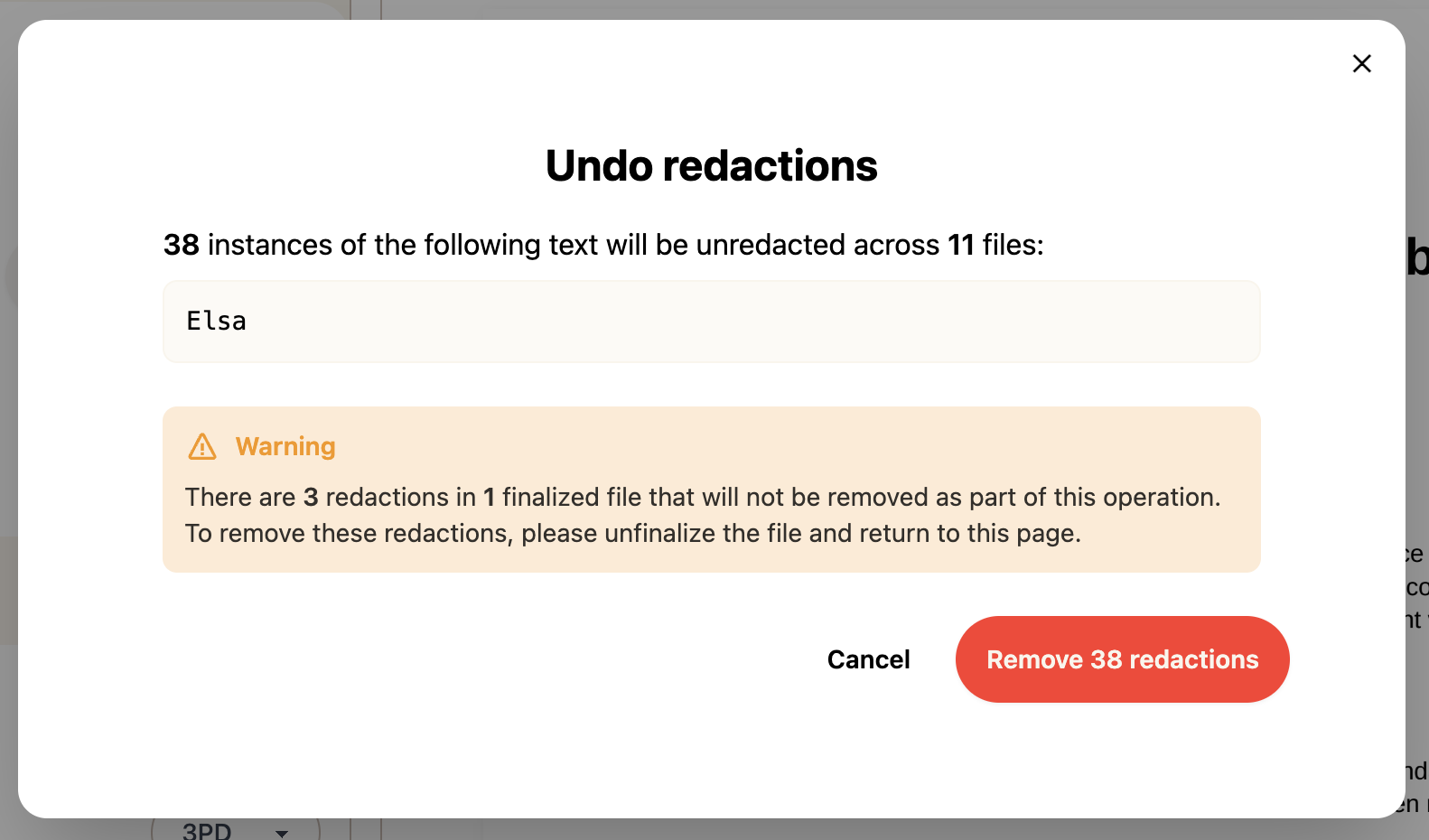
When you undo a redacted term with the scope set to the this document or entire case, you’ll now see a preview showing exactly how many redactions will be affected. You’ll be asked to confirm before the change is applied, helping prevent accidental bulk reversals and giving you greater confidence in bulk undos.
Download Original Files
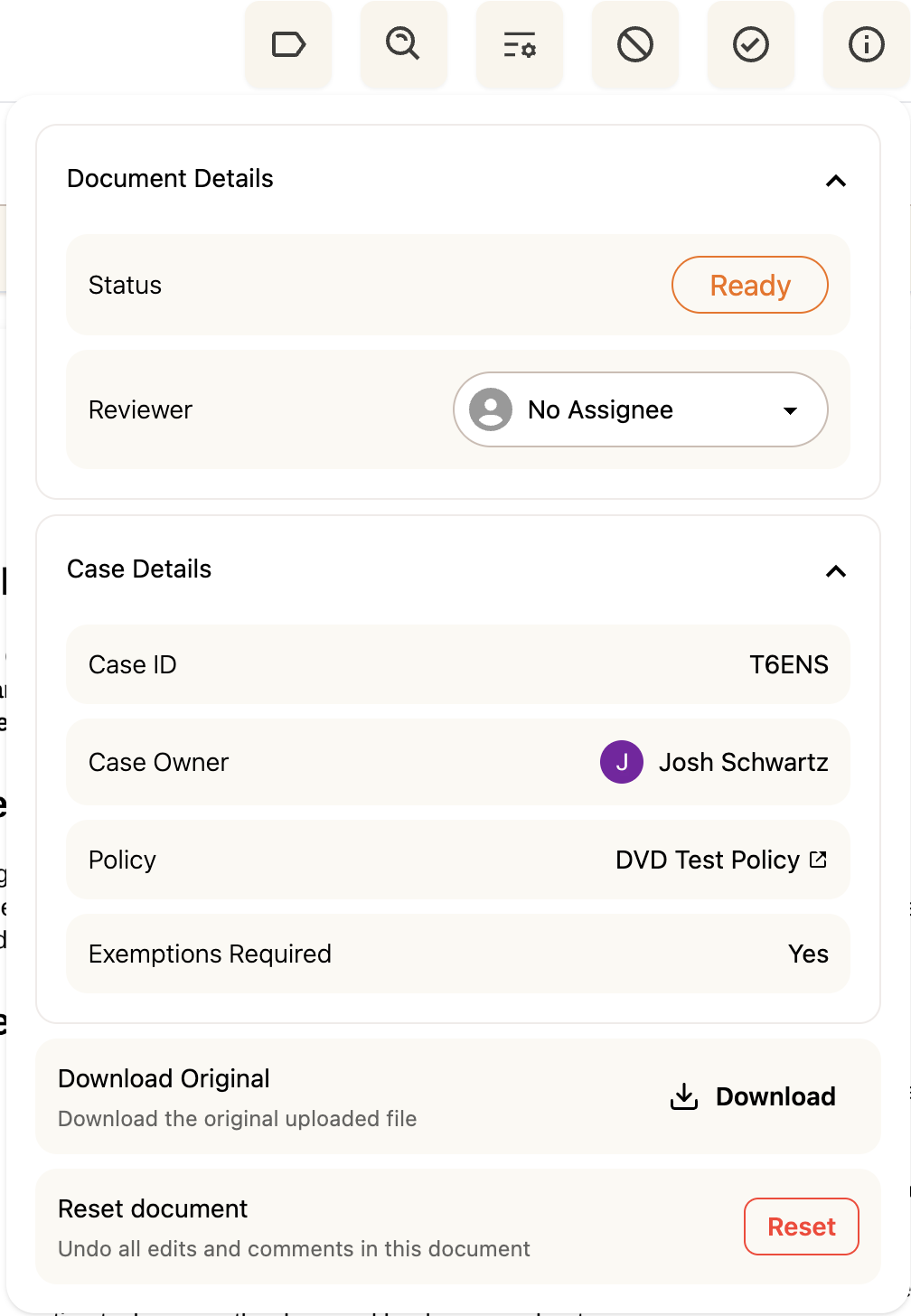
You can now download the original file you uploaded directly from the product.
This is particularly useful for file types like Excel spreadsheets, which may need to be reviewed, validated, or shared outside the platform in their original format. The downloaded file is identical to the original upload, with no modifications applied.
Improved Case Summary Reporting
Our XLSX summary export was originally designed to provide a high-level overview of the exemptions applied in a case. Based on your feedback, we’ve expanded this report to better reflect the full set of review decisions made during a case.
The XLSX summary now includes reporting for:
- Duplicate files
- Redundant emails
- Out-of-scope decisions
- Errors
This makes the export a more complete and auditable record of how a case was reviewed and resolved.